
Mobile app trends matter if you want your product to keep users and grow. This article explains what the main mobile app trends are and gives clear steps on how to add them to your app. Read on to learn practical, simple actions you can take now.
We focus on easy to follow advice. You will get short explanations, key benefits, and step by step actions for each trend. The goal is to make the ideas usable for teams of any size.
This article covers key trends, how to adopt them, how to measure success, and tips to avoid common mistakes. Keep the focus on users and on measurable outcomes as you plan.
Why mobile app trends matter
Mobile app trends guide what users expect from apps today. When you follow the right trends, your app feels modern and useful. That helps you keep users longer and increases key metrics like retention and engagement.
Trends also show which technologies make tasks faster and cheaper. For example, on-device intelligence can speed up actions and protect user data. Knowing these trends helps teams choose the right tools and avoid wasted effort on fads.
Finally, trends help you set priorities for design and development. They provide a clear checklist to test features against user needs. Use trends to plan small experiments before you commit to large investments.
When you read about mobile app trends, think of them as options, not orders. Test the ones that match your product and your users. That simple habit reduces risk and keeps teams focused on what matters.
Top mobile app trends
The following list shows the top mobile app trends to watch. Each trend has clear benefits and practical steps you can take. Use these trends to shape short term experiments and longer roadmaps.
These trends include on-device AI, richer AR features, faster real-time experiences, stronger privacy, better offline support, and smoother cross-device flows. Each trend affects design, development, and testing in different ways.
Below we describe each trend with simple examples and actions. After each trend, you will find 2-3 practical steps you can take right away to test or adopt the idea.
On-device AI and smarter assistants
On-device AI brings faster responses and better privacy. Instead of sending data to servers, some tasks run on the phone. That lowers latency and reduces data transfer. Users notice speed and value the extra privacy.
Mobile assistants that use on-device models can handle tasks like text prediction, image tagging, and simple voice commands. These features help users complete tasks faster and with less friction. They also reduce your server costs over time.
To get started, try small models for specific features. Measure speed, accuracy, and battery use. If results are good, expand the model set and add new use cases in controlled steps.
Augmented reality and spatial experiences
AR is more than filters. It helps users try products, visualize data in space, and get context-aware help. AR works best when it solves a real problem like fitting a piece of furniture or guiding a repair task.
Well-designed AR flows reduce user confusion. They guide the camera, show clear anchors, and limit on-screen clutter. The result is higher confidence and better task completion rates for users.
Start with a single AR feature that matches a high-value user need. Test with a small group and measure success by task completion, time on task, and user feedback. Iterate quickly based on results.
Progressive Web Apps and instant experiences
Progressive Web Apps (PWAs) and instant experiences give users a fast way to try your product. They work well for discovery, onboarding, and quick tasks. PWAs can reduce friction for first-time users because they load quickly and don’t need app store installs.
PWA features like offline caching and background sync can also improve reliability. This is helpful for users with poor network coverage or for apps that need to sync data when connection returns.
Try offering a lightweight PWA version of a core flow. Measure conversion from web to native app and track retention for users who first met your product via the web. Use results to plan next steps.
5G and real-time features
5G opens the door for real-time features like live collaboration, ultra-high quality streaming, and fast downloads. When used well, these features create more engaging experiences, especially for media and multiplayer apps.
But not every user has 5G. Design fallbacks that detect network speed and adjust quality. This keeps the app usable for more users and reduces complaints about poor performance.
Begin by adding adaptive quality controls and a simple network-aware mode. Track how users on different networks behave and refine the experience based on real usage data.
Privacy-first design and secure data handling
Privacy is no longer optional. Users expect transparent choices and clear controls over their data. Apps that respect privacy build trust and avoid costly compliance issues. This trend is both ethical and practical.
Privacy-first design means limiting data collection, offering clear permissions, and using local storage where possible. It also means clear messaging so users understand why data is needed and how it is used.
Start with a privacy checklist for new features. Audit the data you collect and remove any fields you do not use. Communicate changes to users and measure trust through surveys and retention metrics.
Voice and conversational interfaces
Voice interaction supports hands-free use and faster commands. For many tasks, speaking is faster than tapping. Voice also helps accessibility and can make your app easier for older users or those with motor challenges.
Designing good voice interactions means setting clear prompts, providing confirmation, and handling errors with simple recovery steps. The voice flow should be short and focused on common user tasks.
Test voice features with real users and measure task success rates. Improve prompts and fallback paths until voice becomes a reliable alternative to touch in key flows.
How to adopt mobile app trends
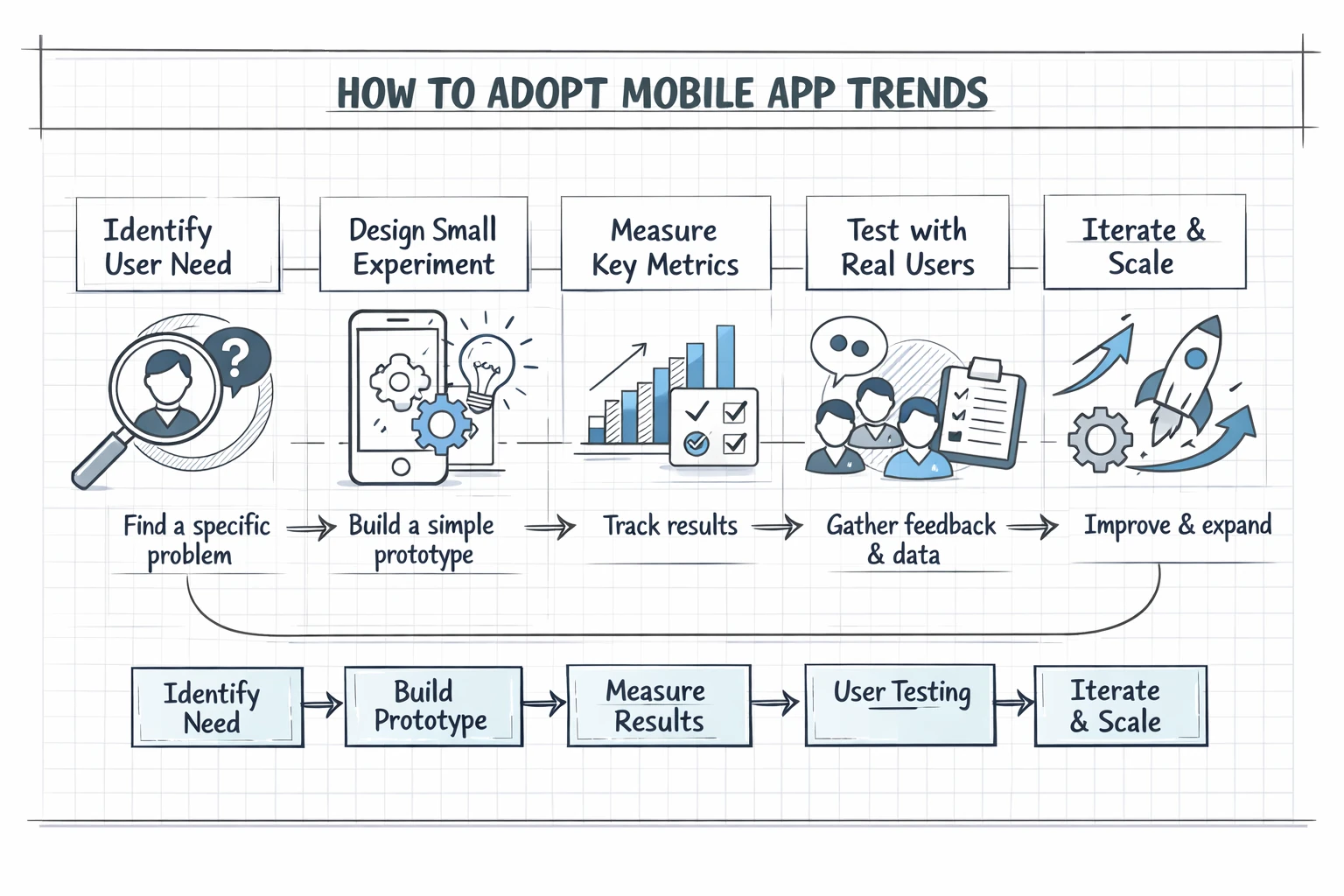
Adopting trends is easier when you follow a clear process. A simple strategy reduces risk and helps you learn fast. The idea is to test small, measure clearly, and expand what works.
Below is a short, practical checklist to guide adoption. Use it for each trend you want to try. The list covers discovery, prototyping, measurement, and rollout. Read it and then pick one trend to experiment with this quarter.
- Identify a clear user need – Start with a specific problem you want to solve. Match the trend to that need.
- Design a small experiment – Build a minimal feature that demonstrates value. Keep it lean and focused.
- Measure key metrics – Track a small set of metrics like task success, retention, and error rates.
- Test with real users – Run a short pilot with target users to gather feedback and data.
- Iterate and scale – Improve based on results and roll out gradually to more users.
After you run the checklist, document what you learned. Share results with the team and decide whether to continue, pivot, or stop the experiment. This habit reduces wasted work and builds a learning culture.
Be mindful of costs and dependencies. Some trends need new tools or skills, so factor those needs into your plan. Invest where the data shows real user benefit.
Measuring mobile app trends success
Good measurement starts with clear goals. Define one or two primary metrics for each experiment. For example, use task completion rate for AR trials or latency for on-device AI features.
Secondary metrics matter too. Track retention, session length, and conversion where relevant. Look for signals that a trend both delights users and supports business goals.
Use qualitative feedback as well. Short interviews or in-app surveys reveal why users like or dislike a feature. Combine this feedback with numbers to make confident decisions.
Finally, set short review cycles. Weekly checks during pilots and monthly reviews for larger rollouts keep the team aligned. Adjust the plan quickly when metrics show clear trends.
Key Takeaways
Mobile app trends offer tools to improve speed, privacy, and engagement. Focus on trends that solve real user problems and match your team skills. This keeps your work practical and impactful.
Adopt trends with small experiments, clear metrics, and fast learning cycles. Measure both numbers and user feedback. This approach reduces risk and improves the chance of success.
Start with one trend that aligns with your highest priority. Run a lean test, learn from the data, and expand what works. Keep user needs at the center and iterate often to stay competitive.
