
Mobile productivity apps are changing how people work every day. This article reviews the best mobile productivity apps, explains why they matter, and helps you pick the right tools for your team and personal use. Read on for clear, practical guidance and enthusiastic recommendations you can act on now.
Why mobile productivity apps matter
Mobile productivity apps let you work from anywhere. They make tasks, messages, and files available on the go. That can save time and cut stress for both individuals and teams.
These apps help people stay focused and finish more work in less time. Many apps combine task lists, calendars, and communication in one place. That reduces the need to switch between tools and keeps work steady.
For businesses, mobile tools improve response times and support flexible work. Teams can update progress, join quick calls, and approve work right from a phone. This makes operations smoother and supports faster decisions.
How we evaluated mobile productivity apps
We focused on real use cases and practical testing. We looked at features that matter most: task management, collaboration, offline access, and sync reliability. We also tested performance on typical phones to see how apps behave under everyday conditions.
Security, integrations, and pricing were key factors. We checked how apps connect to popular services and whether they support single sign-on. We also compared pricing tiers and what each plan includes, so you can pick an option that fits your budget.
User experience and design were also part of our review. We looked for clear navigation, fast load times, and features that are easy to learn. Good Mobile app design matters because a small learning curve means faster adoption by teams and individuals.
Top mobile productivity apps
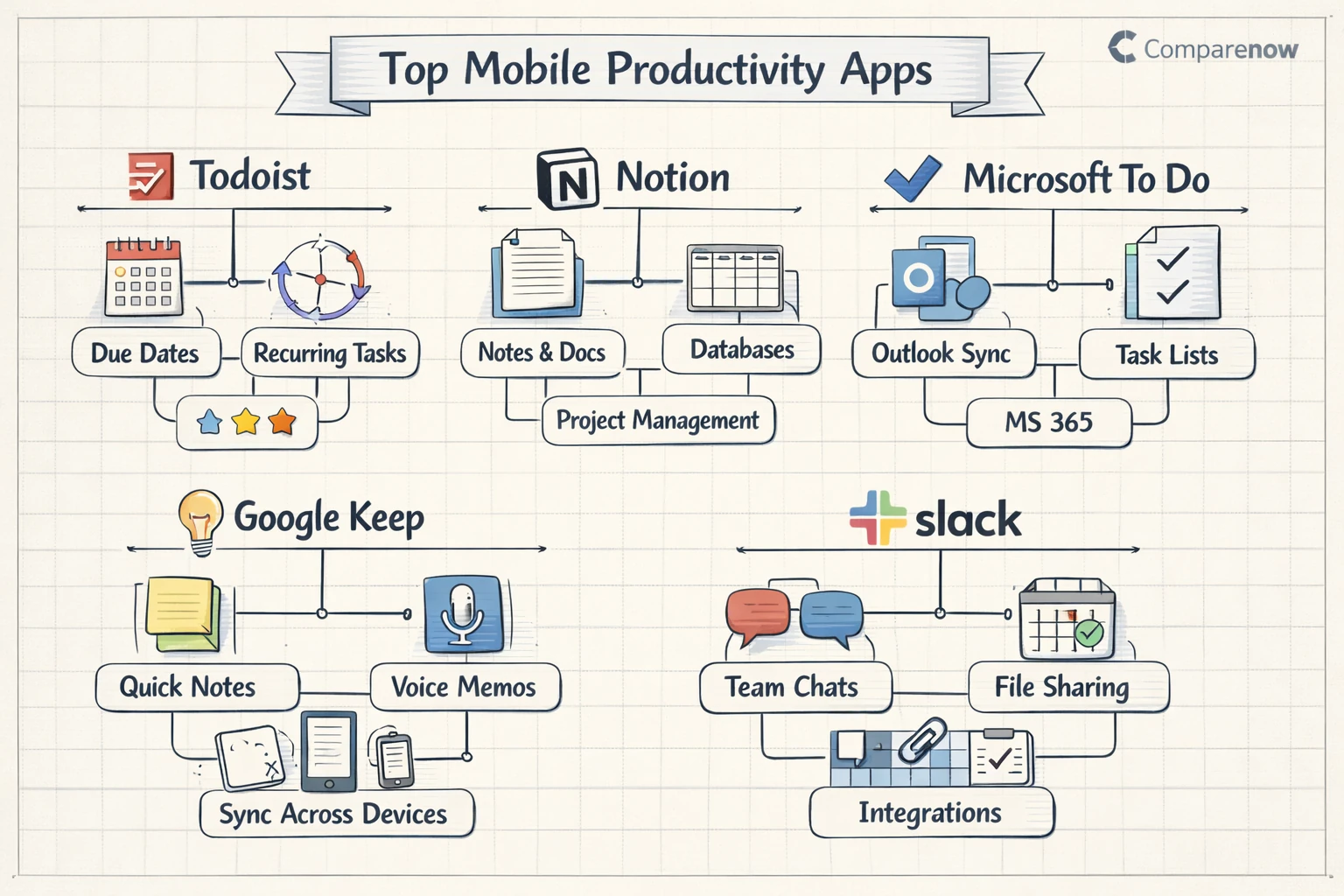
Below is a curated list of top picks across the most useful categories. Each app brings a different strength, so you can match a tool to your workflow. The list includes apps for time tracking, note taking, collaboration, and more.
We tested each app for ease of setup, daily use, and how well it syncs with desktop apps. We also took note of whether the app supports essential integrations for calendars, cloud storage, and communication tools.
Here are the top mobile productivity apps therapists, freelancers, managers, and students often choose. These picks aim to cover core needs like time management, file access, and team coordination.
- Todoist — A simple, powerful task manager that works on phones and desktops. It is great for organizing projects with due dates, recurring tasks, and priorities. Todoist is ideal for people who want a clean interface and reliable reminders.
- Notion — A flexible workspace for notes, docs, databases, and lightweight project management. Notion shines when you need combined documentation and task tracking. It is a strong choice for small teams that want a single app for multiple needs.
- Microsoft To Do — A straightforward task app that syncs with Office tools. It works well with Outlook and Microsoft 365. This app is useful if your organization already uses Microsoft services and you need simple task lists across devices.
- Google Keep — Quick note-taking and reminders that sync with Google Workspace. Keep is best for short notes, voice memos, and checklists. It is a good fit for people who want fast capture and easy access from any device.
- Slack — A communication hub for teams that supports channels, direct messages, and file sharing. Slack speeds up team decisions and centralizes conversations. It pairs well with project tools and calendar apps to reduce email overload.
- Trello — A visual board-based tool for managing projects with cards and lists. Trello is intuitive and works well for kanban-style workflows. Teams use it to track progress from idea to done in a clear visual way.
- Evernote — A classic note-taking app with strong search and organization. Evernote helps you store articles, scans, and long-form notes. It is useful for people who need robust search and mixed-media notes.
- Forest — A focus app that uses a simple, gamified approach to reduce phone distractions. Forest helps users build timed focus sessions and rewards consistent use. It is a fun choice for people who want positive reinforcement to improve focus.
Choosing the right app for your team
Start by listing the top problems you need to solve. Do you need better task tracking, faster team chat, or tighter document control? Knowing the main pain points helps you pick the right tool. This avoids paying for features you will not use.
Next, consider how the app will fit into existing workflows. Many companies already use cloud storage, calendars, or CRMs. Choose apps that integrate well with those systems. Good integrations reduce manual work and keep data consistent across tools.
Also think about adoption and training. An app with a gentle learning curve will be used more quickly. Look for tools that offer good onboarding and clear mobile interfaces. When the team adopts the app fast, you see benefits sooner.
Pricing, security, and integrations
Pricing varies widely across the best mobile apps in this category. Some apps offer free tiers with basic features while paid plans add collaboration and admin controls. Compare what each plan includes and whether the cost scales reasonably as your team grows.
Security is crucial for business use. Look for apps that offer encryption, strong access controls, and clear privacy policies. If you handle sensitive data, check whether the app supports enterprise features like single sign-on and audit logs.
Integrations matter for productivity. Check if the app connects to your calendar, cloud storage, and communication tools. Popular integrations reduce friction and let you automate routine tasks. When apps work together, your team saves time and avoids duplicate work.
Practical tips for rollout and adoption
Plan a phased rollout to reduce friction. Start with a pilot group to test key features. Use feedback to adjust settings and workflows before wider deployment. This approach reduces disruption and increases the chance the whole team will adopt the app.
Provide short training sessions and quick-start guides. Keep training focused on common tasks and daily use. Short practice sessions help users feel confident and speed up adoption across the organization.
Measure success with simple metrics. Track task completion rates, response times, and active users. Regular check-ins help you spot problems and adjust settings or workflows. This keeps the app aligned with team goals and shows clear value.
How these apps fit different categories
Mobile productivity apps often overlap with other top app categories. For example, time management apps and note-taking tools are core productivity helpers. Other categories like education apps or finance apps also use productivity features to support specific tasks.
Teams in healthcare also rely on mobile tools for scheduling and secure messaging. Mobile apps for healthcare need strong privacy and clear audit trails. If you work in specialized fields, check whether an app meets industry-specific rules or integration needs.
Beyond industry needs, think about how your app choices match common categories like social networking apps or Mobile app design tools. Each choice affects how your team communicates, creates content, and manages time.
Real-world examples and mobile app reviews
Real teams show how these tools work in practice. Small marketing teams often use Trello plus Slack to visualize work and keep conversations organized. Freelancers may prefer Todoist or Notion to combine tasks with client notes.
Look at mobile app reviews to learn about quirks and common issues. Reviews help you spot recurring bugs or user experience problems. They also reveal which apps have strong customer support and frequent updates.
When choosing between similar apps, try a short trial and collect feedback from actual users. Hands-on testing often reveals practical strengths and weaknesses that reviews alone cannot capture.
Key Takeaways
Mobile productivity apps can make work faster and less stressful. Pick tools that solve your main pain points, fit your workflows, and integrate with systems you already use. This ensures a smoother rollout and faster benefits.
Test a few options with a small group and measure simple metrics like task completion and active users. Watch for security, pricing, and integration details. These points determine long-term success and value.
Finally, match the app to your needs. Whether you need time management apps, note tools, or team chat, there is a strong option for most use cases. Use this guide to compare the best mobile apps and choose tools that help your team do more with less effort.
